Weighting device drivers
Here, you can find information on weighting device drivers: the ones available by default and tips on creating your own.
Currently supported devices
Precisa:
- XB320M
- 480S/BK1200D
- XB120A
Mettler Toledo:
- ICS429
Avery Weigh-Tronix
- ZM510
The devices are available to choose from the CompuTec Gateway Manager:
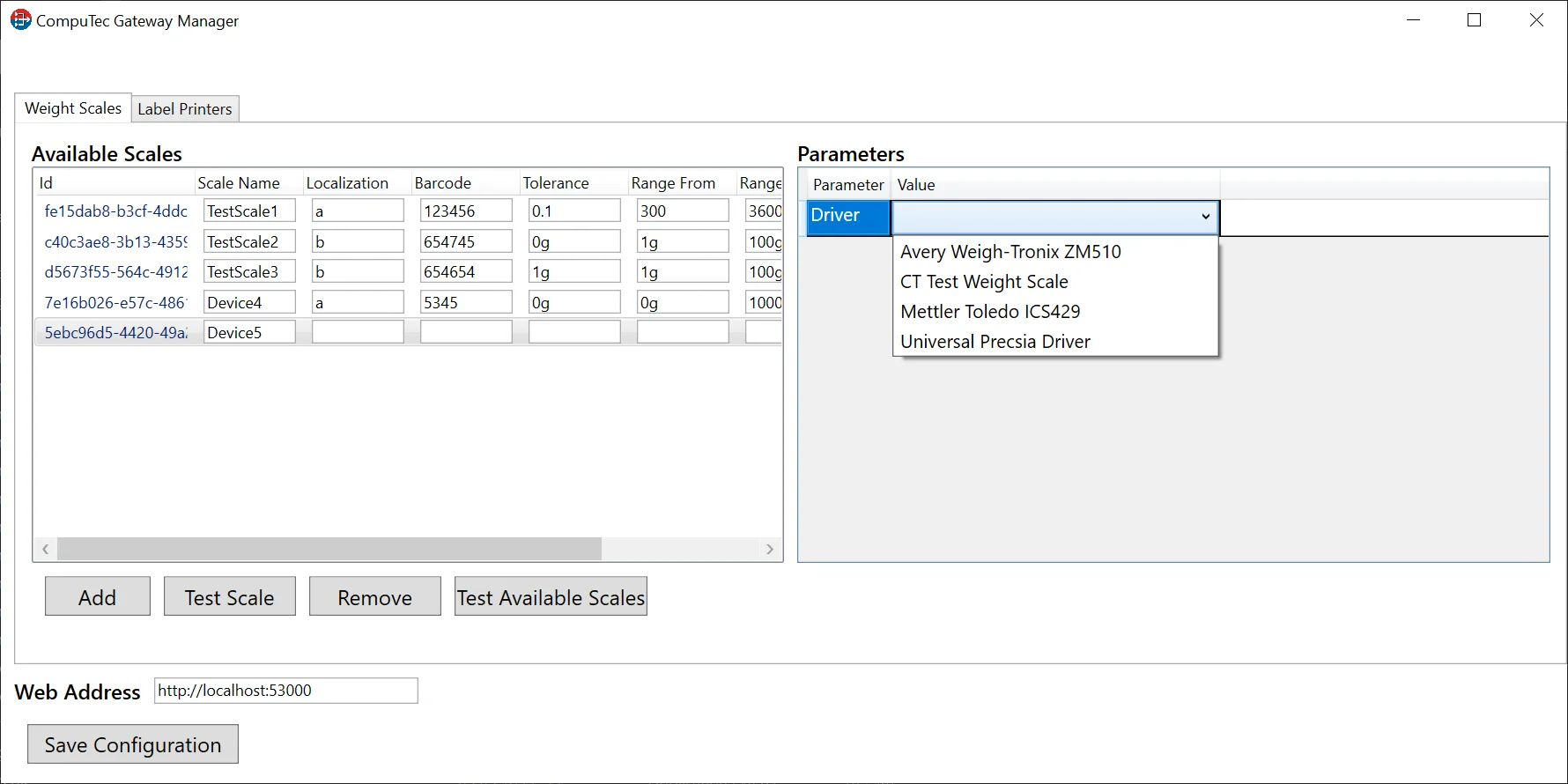
'CT Test Weight Scale' is a test driver that generates random weighting data for test purposes.
Custom driver creation and usage
It is possible to create your driver for a device not listed in the available devices list from the previous point.
If a required device is not on the list in the previous paragraph and you are unwilling or unable to create a driver, the CompuTec team can do it for you for a fee. To order such a service, please create a support ticket at CompuTec Support.
A driver creation
The following example is created using Microsoft Visual Studio.
-
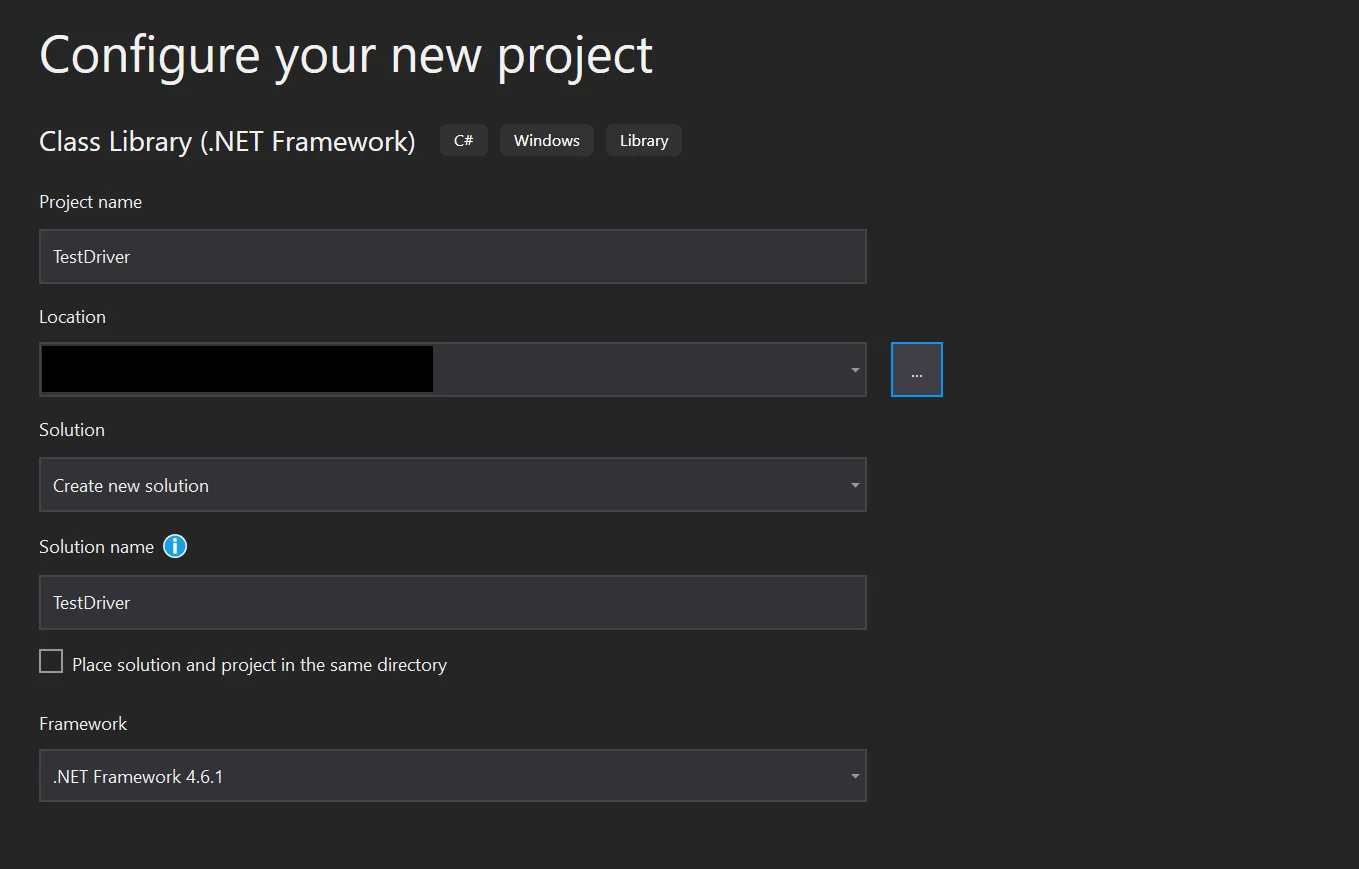
Create a project:
-
Add dependencies to the provided libraries:
- Computec.WeightScale.dll
- CompuTec.ProcessForce.WeightScaleBase.dll
-
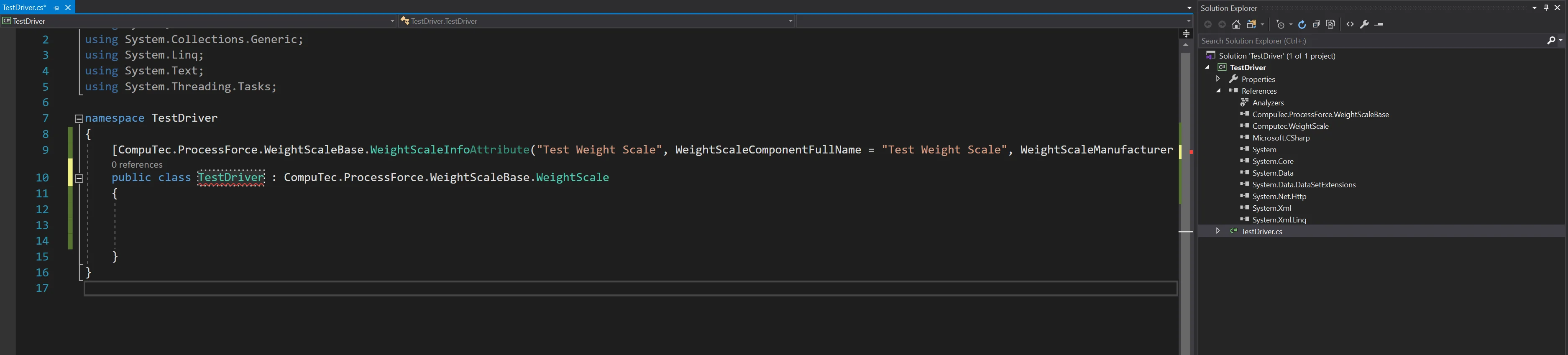
Prepare a class of the drive:
-
Implement the methods and update them in accordance with the device requirements:
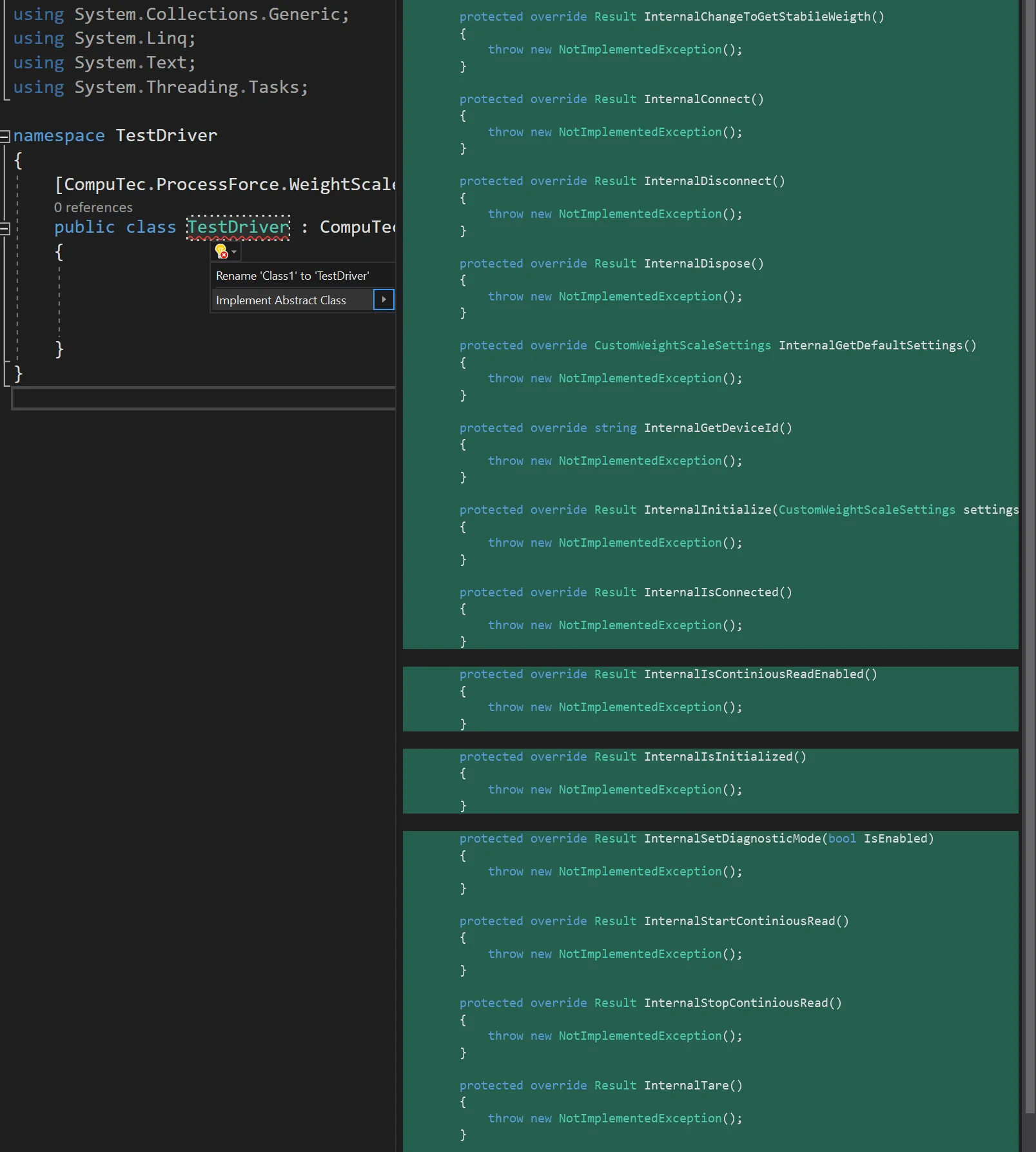
You can check the class in the example driver (CT Test Weight Scale). You can download it from here.
Usage
Once the driver is created, place it in the following directory (this is the default installation directory):
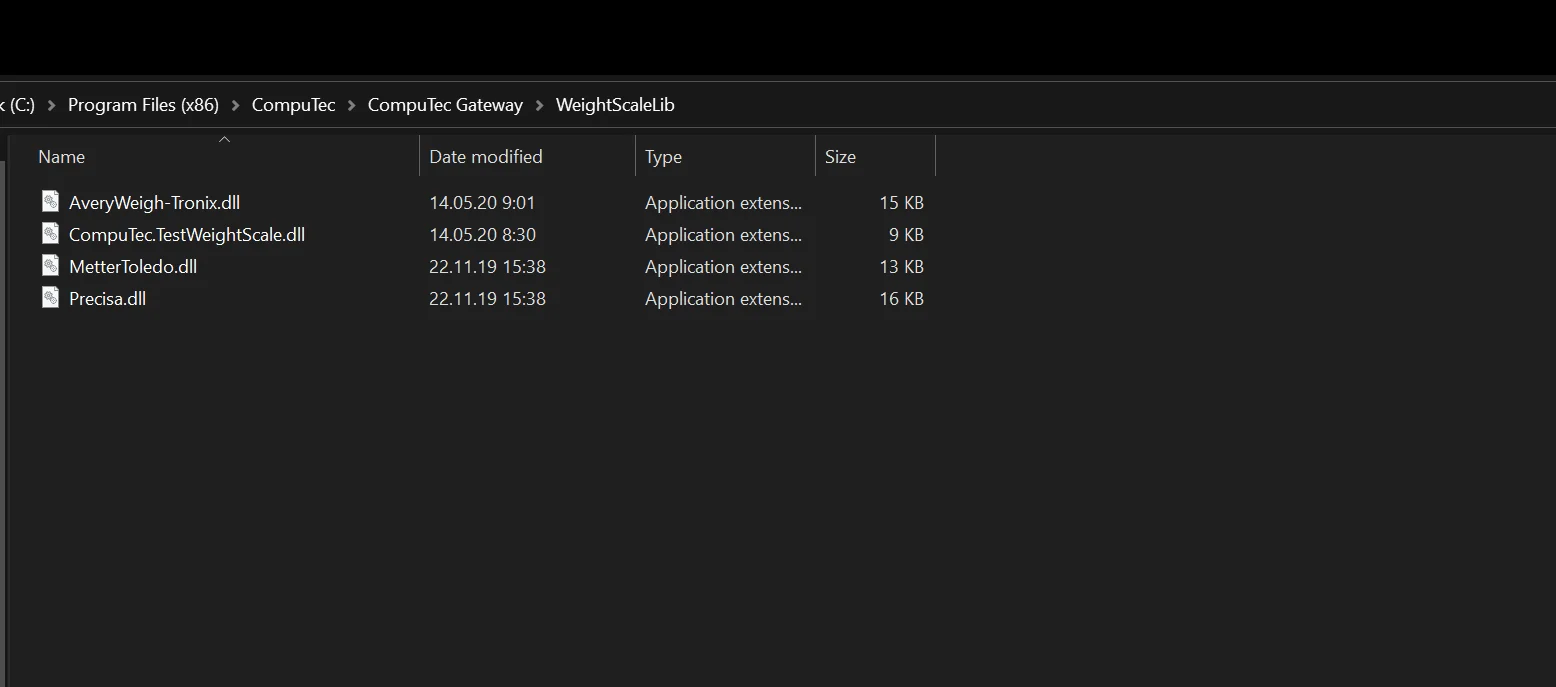
Now, the driver should be available in the list in CompuTec Gateway Manager (please check the top screenshot on this page).